World clock and time zone conversion app for PC
World Clock - Time Zones is a free productivity program for PC developed by Time and Date AS. It is a world clock app that can also serve as a time zone conversion tool. It supports multiple clock displays at a time and offers other relevant zone information.
Top Recommended Alternative
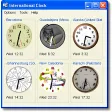
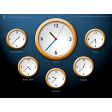
Similar to Amazing World Clock or SymmTime, World Clock - Time Zones makes it easy for users to keep track of multiple time zones at the same time. It also features a simple user interface that is easy to use and configure in any way that they want.
World time
Today's corporate landscape has grown global in scope, with multiple people from various parts of the world working and collaborating together. The same is true if you're frequently on the road doing fieldwork. Having said this, it can be a bit difficult to keep track of time zones to communicate with colleagues or when traveling to a specific location, and this is where World Clock - Time Zones can help.
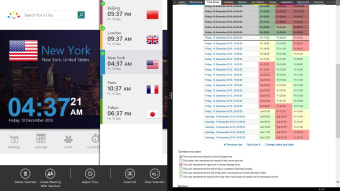
You can look for a specific city using the search bar in the app. It will then provide you with basic information like the time/date and current weather. You can opt to show seconds on the clock, switch between 12/24 hour formats, and set it as a Live Tile via settings. You can also add multiple cities to your favorites for a quick and glanceable view.
As mentioned earlier, the app can also be used as a time zone converter via a dedicated tab. It will present you with a timetable that contains a breakdown of time differences on an hourly basis. The only thing worth noting is that there is some delay in updating the time when switching between various zones. It's a relatively minor thing but is noticeable if you monitor multiple locations simultaneously.
Time is of the essence
Whether you travel to other countries for work or you have colleagues from various parts of the world with whom you need to communicate with, being aware of the time difference is essential, and World Clock - Time Zones can help you with this. It's easy to use, supports multiple locations at a time, and comes with a time zone converter already built-in. Recommended.